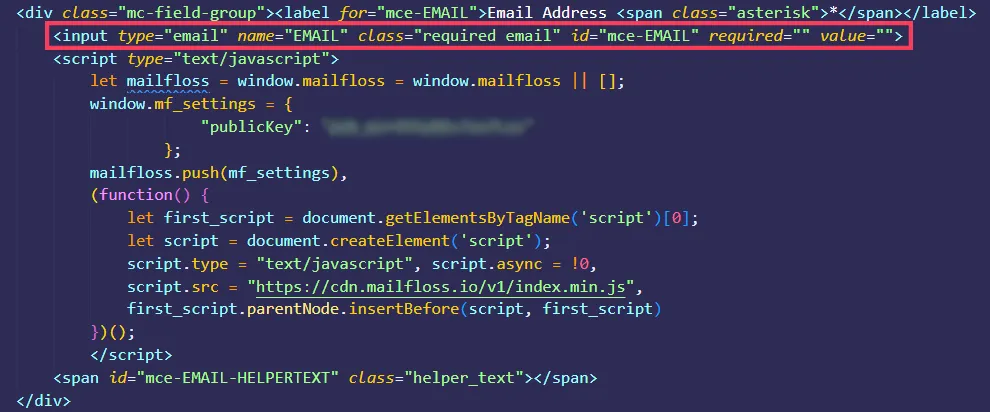
How to connect the JS widget to Mailchimp
2 min
Step 1. In mailfloss, go to Apps & Plugins, click Install JavaScript widget, and add your domain under Whitelist your domains.

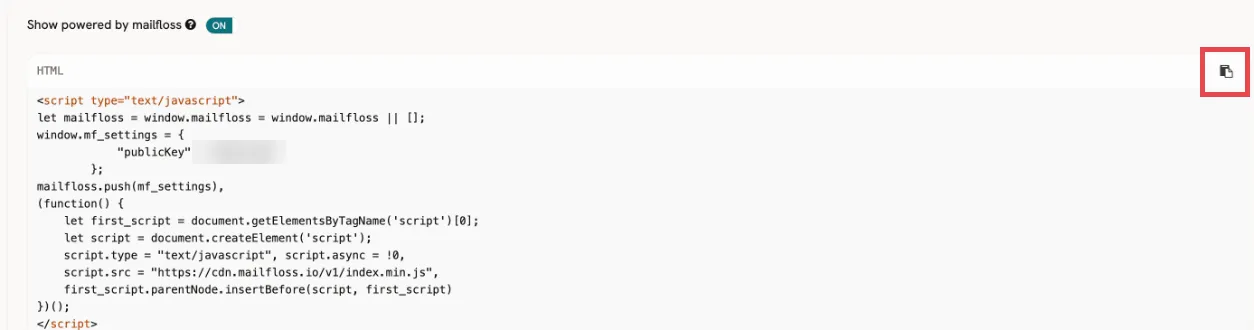
Step 2. Copy your JS widget code, along with your public key.
Step 3. Go to the HTML of your MailChimp form and paste the widget code right below your email input. Deploy your changes and, you're done!