Sendpulse email verification options
When mailfloss finds an invalid email in Sendpulse, the Cleanup tab decides what happens. You have five options. The setting applies to every list in the connection, and you can change it any time.
Before explaining the five options, make sure you have properly connected Sendpulse to mailfloss. You only need to do this once and from then on mailfloss will be able to automatically perform email verification for the connected Sendpulse account.
To choose an option, go to Integrations, open your Sendpulse integration, and click the Cleanup tab:
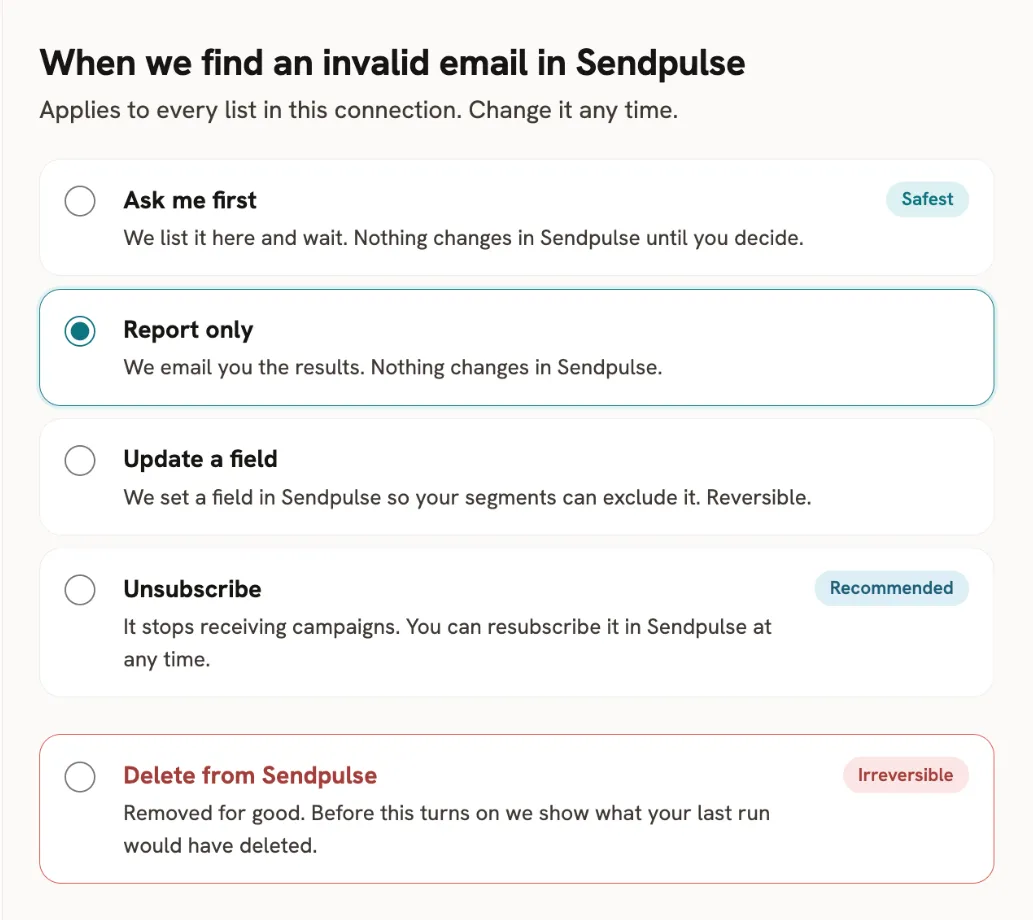
Ask me first. The safest option. mailfloss lists invalid emails in the Waiting for you tab, and nothing changes in Sendpulse until you decide:
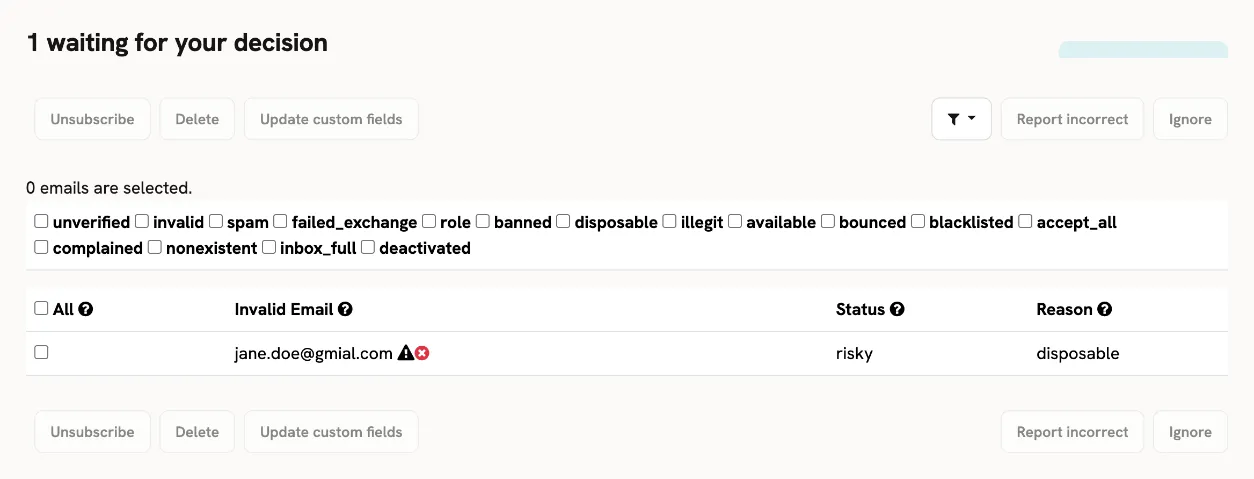
The Waiting for you tab appears only when emails are waiting. Select the emails and click Unsubscribe, Delete, or Update custom fields. You can also report a wrong status with Report incorrect, or dismiss an email with Ignore.
Unsubscribe. The recommended option. mailfloss unsubscribes the contact from Sendpulse, so it stops receiving campaigns. mailfloss asks you to confirm when you choose it, and a switch under the option can also update the mailfloss fields. You’ll see the contact in Sendpulse with a red icon and the status of "Unsubscribed from all emails". You can resubscribe the contact in Sendpulse at any time.

Delete from Sendpulse. Removes the contact for good, so you won’t find it in Sendpulse anymore. Before Delete turns on, mailfloss shows what your last run would have deleted and asks you to type the account name to confirm.
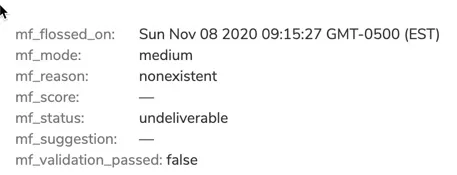
Update a field. mailfloss writes the verification result to custom fields in Sendpulse, so your segments can exclude invalid emails. This is reversible. You can also use the fields to sync with your other databases and CRMs, or in automations, segments and reports.
For more information about our custom fields check this article.
Report only. mailfloss emails you the results of the latest floss session. Nothing changes in Sendpulse. Like a traditional email verification service, it gives you a report of the verification results for the connected Sendpulse account and nothing more.
For an overview of what mailfloss does for SendPulse, see the SendPulse integration page.