[Action Option] Auto-Update custom fields/tags of invalid emails
Update a field (Add a tag for Ghost) is an advanced option in the Cleanup tab, intended for advanced users. mailfloss writes the verification result to custom fields or tags in your provider, indicating when each invalid email was flossed and why it was marked as bad, so your segments can exclude it.
We consider this an advanced option since you need to have knowledge of how the tags and/or custom fields work on your provider’s platform, so you can perform the necessary actions such as automations, flows, segments, reports, and so on. We are unable to provide full support on how to use your provider's platform, and it is better to contact them directly with questions related to their platform.
Don't forget to check the mailfloss documentation specific to the email verification options for your provider if you are unsure of where to locate the custom fields or tags in your provider's platform.
This option is reversible.
For more information about our custom fields and which ESPs support them, check this article.
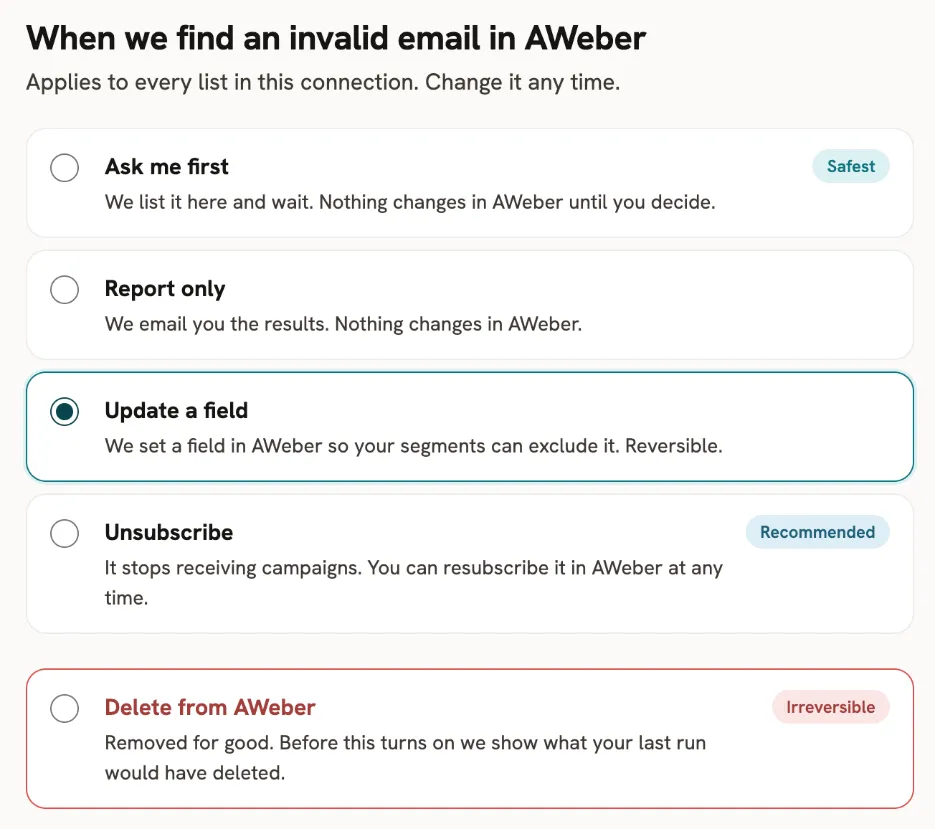
All integrations that have this option:
- ActiveCampaign
- ActiveTrail
- AWeber
- Beehiiv
- Benchmark (Needs to create Custom Fields Manually)
- Braze
- Brevo
- Campaign Monitor
- Campaigner (Needs to create Custom Fields Manually)
- ClickFunnels
- Constant Contact (Needs to create Custom Fields Manually)
- Kit
- Customer.io
- DailyStory (Needs to create Custom Fields Manually)
- Drip
- Emma
- Encharge
- GetResponse
- Ghost (Uses Tags)
- Gist
- GoHighLevel (Uses Tags)
- Hubspot
- iContact
- Keap
- Intercom
- Iterable
- Klaviyo
- MailChimp
- MailerLite
- Mailigen
- Mautic
- Moosend
- Ontraport
- Remarkety
- Sendlane
- SendPulse
- VerticalResponse
- Wishpond
- Autopilot