How do I turn on/off automatic verification?
1 min
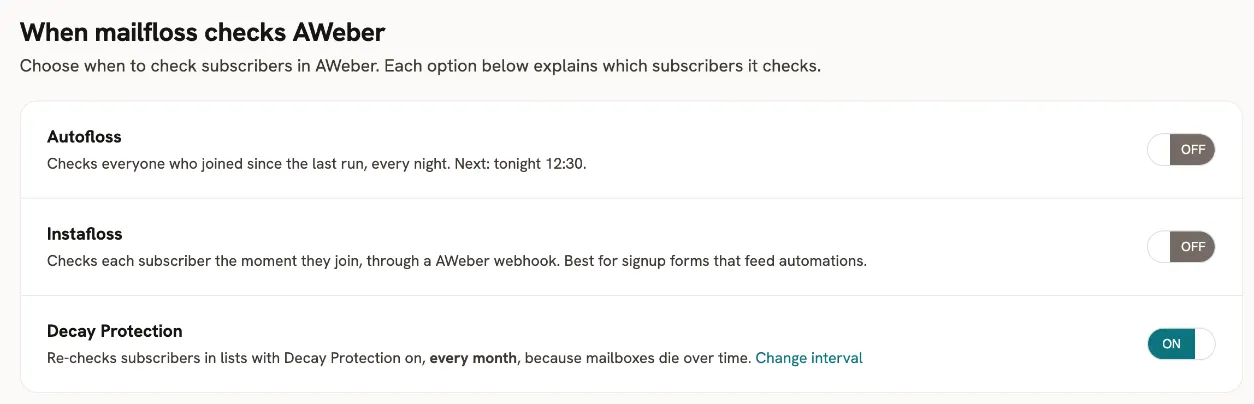
Automatic flossing/verification comes in three flavors, each with its own on/off switch:
- Instafloss - instant, real-time verification
- Autofloss - daily verification
- Decay Protection - customized time verification
These 3 features are not all available for every email service provider integration. If you don't see the switch, that means it isn't available for this particular integration.
To turn them on or off, open your integration's Schedule tab and click the corresponding switch. If it says ON, that means the feature is enabled and active. If it says OFF, that means the feature is disabled and inactive.
For most providers, turning on Instafloss opens the Instafloss instructions dialog. Complete the instructions, tick I have completed the instructions, then click Yes, I've completed the instructions. Turn on Instafloss.